| Voucher Information Fields
Create a Receiving Voucher: Basic Steps
How do I? | Voucher Information Fields
Basic
A voucher adds items received from a vendor to your Point of Sale inventory. A voucher can also be used to record the return of items to a vendor, which subtracts the returned quantity from inventory.
Below is the basic procedure to create a voucher that is not receiving against a purchase order.
Receiving items ordered on a PO? Use this procedure instead.
Click the symbols in this procedure to view detail.
To make a receiving voucher:
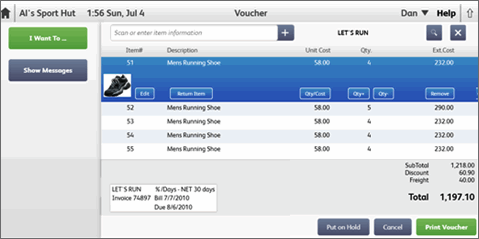
At the Point of Sale home page, select Receive Items from the Purchasing menu. A blank voucher is opened.
(Pro) Headquarters only: If creating the voucher for another store, select Change Store from the I Want To menu and enter the store number.
In the Scan or enter item information drop-down box, scan or type item information to list the items being received.
OR
Click Quick Pick Item to select an item from your pre-defined lists of frequently received items.
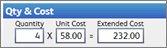
Click the action buttons below the line item to edit the quantity, cost, enter serial numbers, etc.

Repeat until all items being received have been listed.
Note: It is suggested you not mix items from different vendors on receiving vouchers as this would hamper your ability to view accurate vendor histories and reports, and make it difficult to match vendor invoices with the bills created by point of Sale in your QuickBooks Desktop financial software.
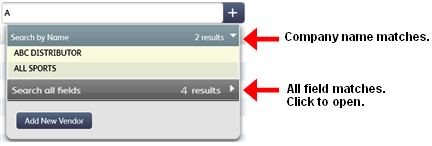
In the Enter vendor name or phone box, type or scan vendor information to add the vendor to the voucher.
Enter information in other voucher fields as appropriate. Commonly use fields on vouchers include comments and freight, fees, and discounts which can be spread across item costs at your discretion.
If you want to print tags for the received items, select Print Tags from the I Want To menu.
If item costs on this voucher are different than what is currently recorded in inventory, you are alerted you may want to review and update your prices before printing tags.
Click Print Voucher.
How do I receive an item not yet in inventory?
(Pro) If you order an item from multiple vendors read the notes about listing multi-vendor items on vouchers.

 icon with no entry in the item search field. You can scroll through the list looking for the needed item.